Texture Exporter/Use it
Previewing on the models
See your textures in Blender's viewport exactly as they'll be exported, and update them live as you change settings.
You can check what a texture will look like before you ever load it in three.js. Previews show the exported texture on your models, in the viewport and in renders, with its scale, compression and format.
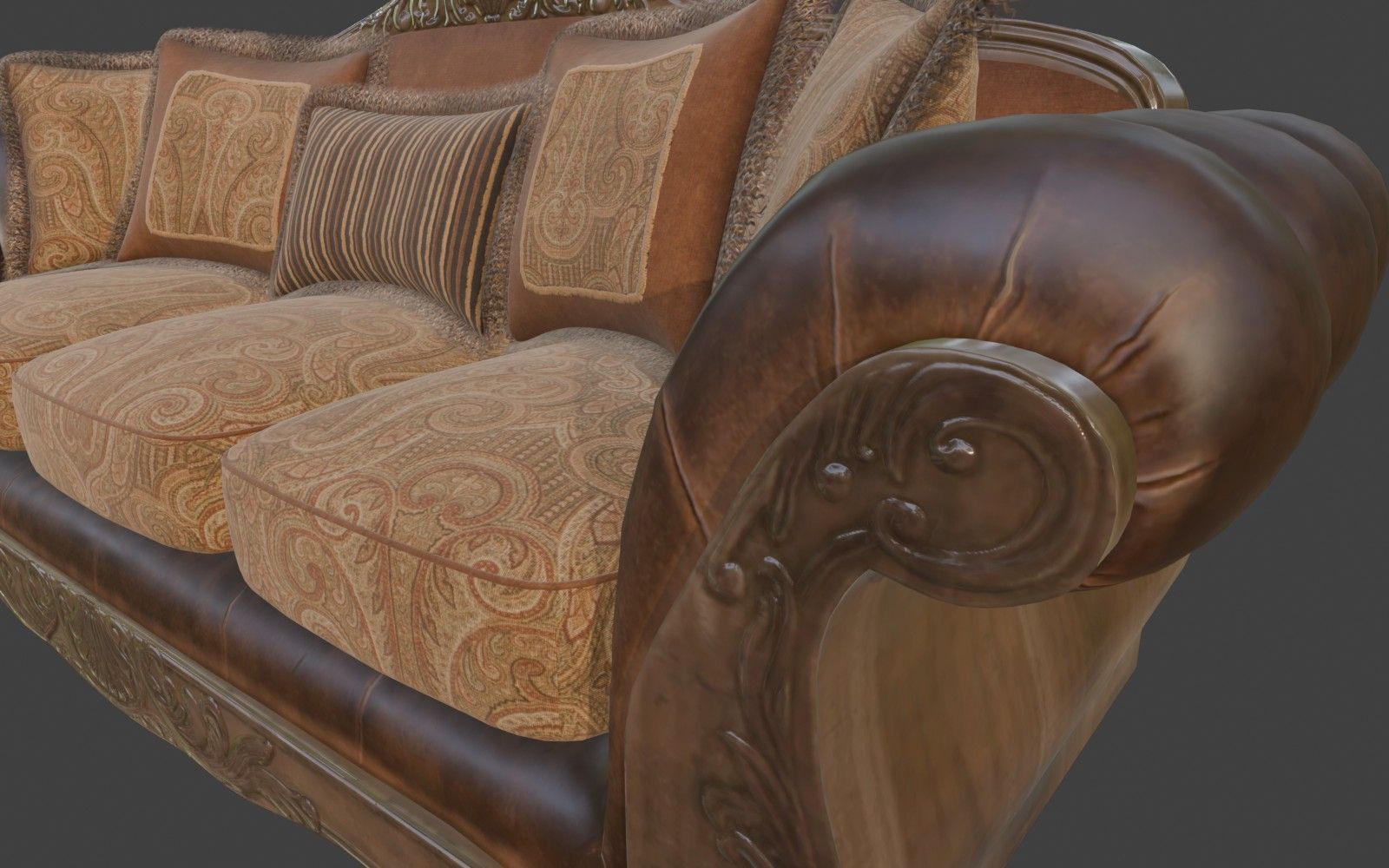
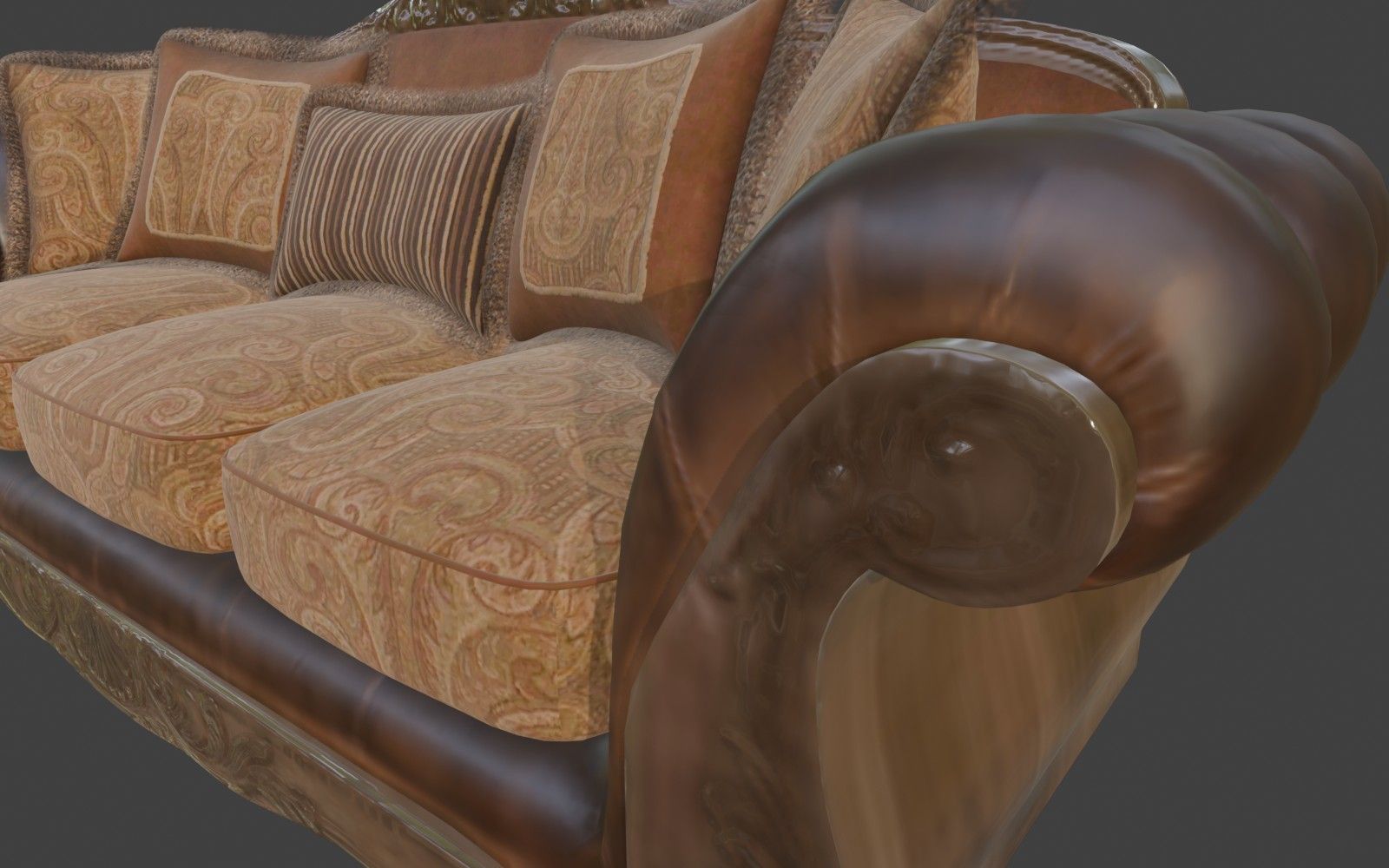
Turning previews on
- Click the eye on a texture’s row to preview that texture.
- Click Preview on Models under the list to preview every ticked texture.
- Click Stop Preview, or the eye again, to go back to the original images.
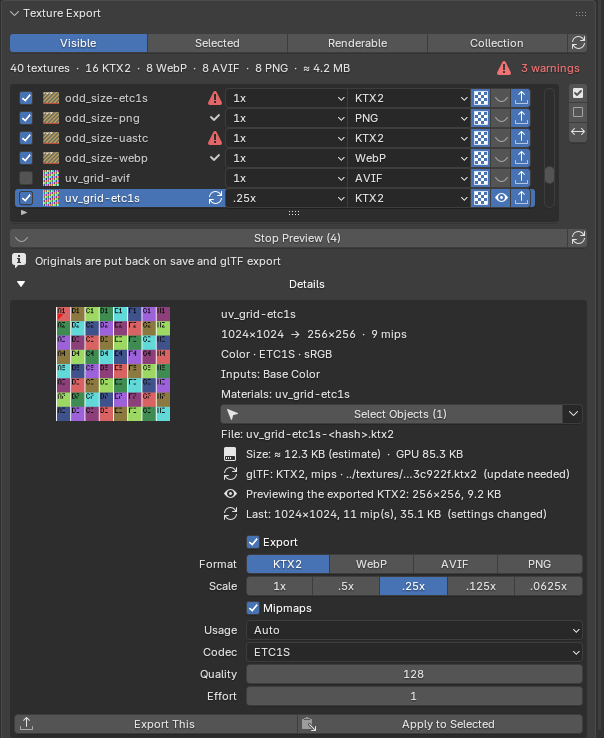
While it encodes, the row’s eye shows a clock. If the preview fails it shows a warning icon, and Details says why (for example, that KTX-Software isn’t installed). Details also shows the previewed size next to the exported file’s size.
What you see

- Scale, compression and format all show. KTX2 is decoded with
ktx extract, the same Basis decode a browser does, so ETC1S blockiness and UASTC banding are visible. WebP, AVIF and PNG are loaded as written. - Previews update when you change a setting. The texture is encoded again about half a second after your last change. Going back to settings you’ve already tried is instant, because previews are cached.
- Packed textures (e.g. Metallic + Roughness) are split back into one preview per source image, so the material reads them as before.
- ↻ encodes the previews again after you edit a source image.
What it doesn’t show: mipmap and filter settings (Blender filters textures its own way), and the final look in three.js, whose lighting and colour management differ from Blender’s. Use it to judge compression artefacts, scale and colour space.
Your files stay safe
- Undo and redo keep previews in step with the panel: if an undo puts a texture’s settings back, its preview is encoded again. Turning a preview on or off isn’t an undo step.
- Previews are written to a cache in the add-on’s own user folder, never to your export folder. The cache is capped at 1 GB, oldest files first.