Export web-ready textures straight from Blender.
Preview and export your scene’s textures as KTX2, WebP or AVIF with settings for each one, optimised for the web.
- Blender 4.2+
- KTX2 · WebP · AVIF · PNG
- Windows · macOS · Linux
- KTX-Software included
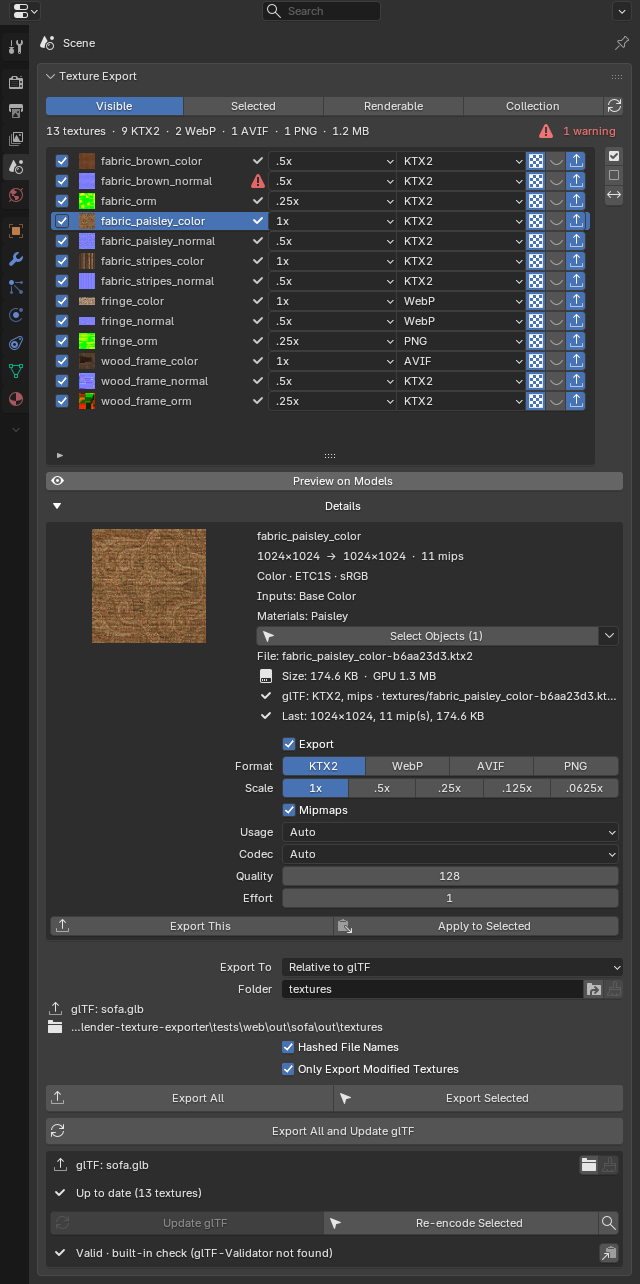
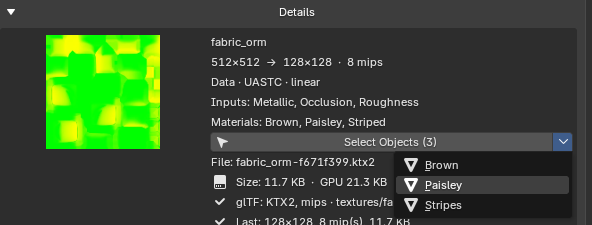
Pick a format for each texture.
One scene can mix all four. The glTF gets the matching extension, and each texture is written as its own file next to it, linked by a relative URI.
KTX2
GPU-compressed with Basis Universal, so textures stay compressed in GPU memory too.
- ETC1S for small files
- UASTC for quality
- Codec picked by usage
KHR_texture_basisuWebP
Small files that every current browser can decode.
- Lossy, with a quality setting
- or lossless
EXT_texture_webpAVIF
Usually smaller than WebP at the same quality.
- Lossy, with a quality setting
- Written by Blender 5.2+
EXT_texture_avifPNG
Lossless, for the textures that need every pixel.
- Also the fallback if an encode fails
glTF core
Change settings per texture.
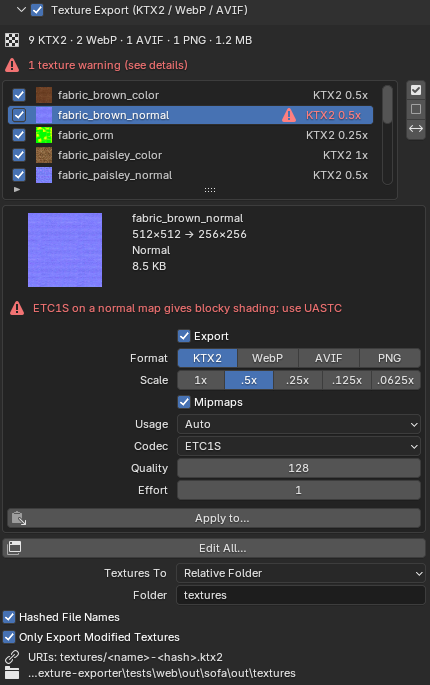
Every texture your objects’ materials use is listed with a thumbnail, its export state and its settings. Filter by visible, selected, renderable or collection, and Select Objects shows which objects use a texture.
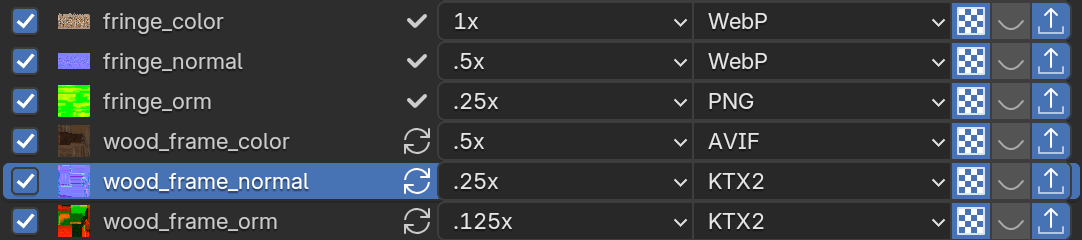
Scale per texture
Pick 1x, .5x, .25x, .125x or .0625x for each texture. KTX2 sizes are rounded to a multiple of 4 for you.
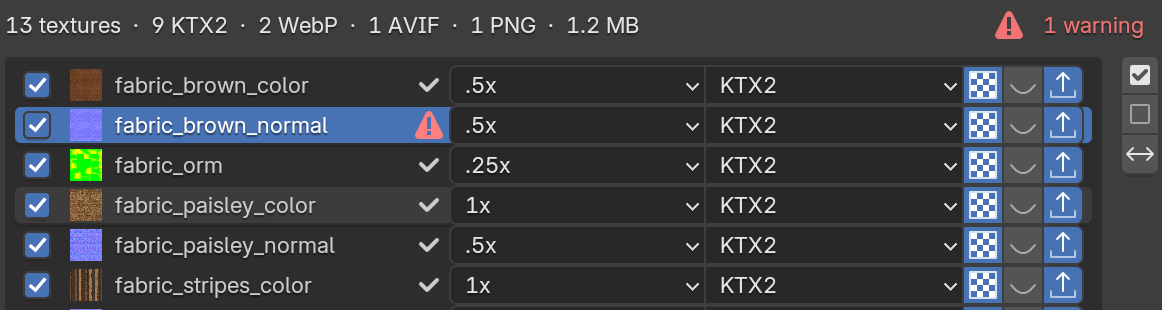
Warnings before you export
It flags sizes that aren’t a multiple of 4, textures over 4096 px, normal maps set to Colour or sRGB, ETC1S on normal maps, and missing image files.
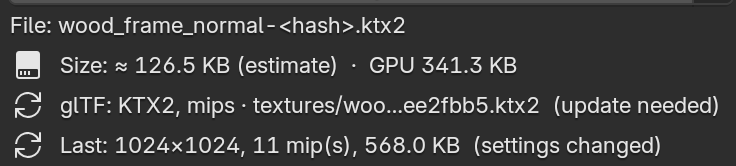
Size before you export
Details shows the estimated file size and GPU memory up front, and the real size once it’s exported.

Mipmaps on or off
Per texture, with the right sampler written to the glTF, so a texture without mips never renders black.
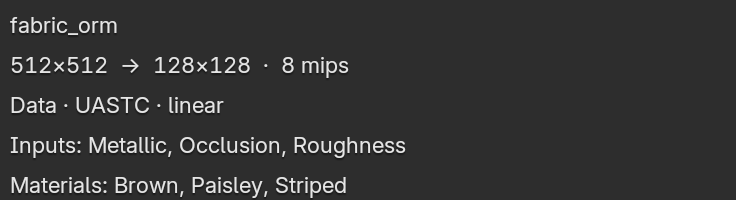
Packed maps as one
An ORM map is listed once, with every input it feeds, and encoded as linear data. Metallic and Roughness from two separate images also show as one row, the way Blender’s glTF exporter combines them.

Only what changed
Only Export Modified Textures re-encodes just the textures whose settings changed, were painted, or whose file went missing.
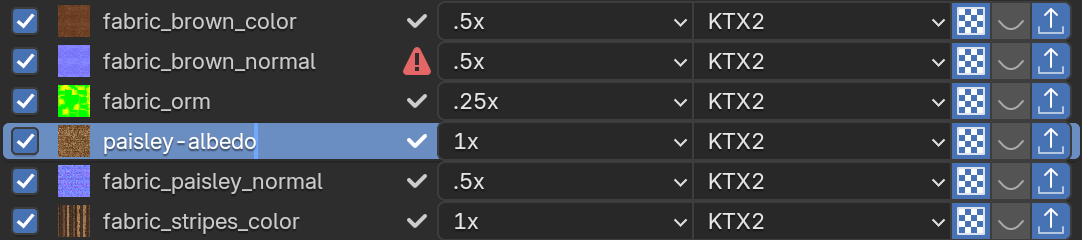
Rename the output
Double-click a texture to rename the exported file. The source image in Blender keeps its name.
Preview inside Blender.
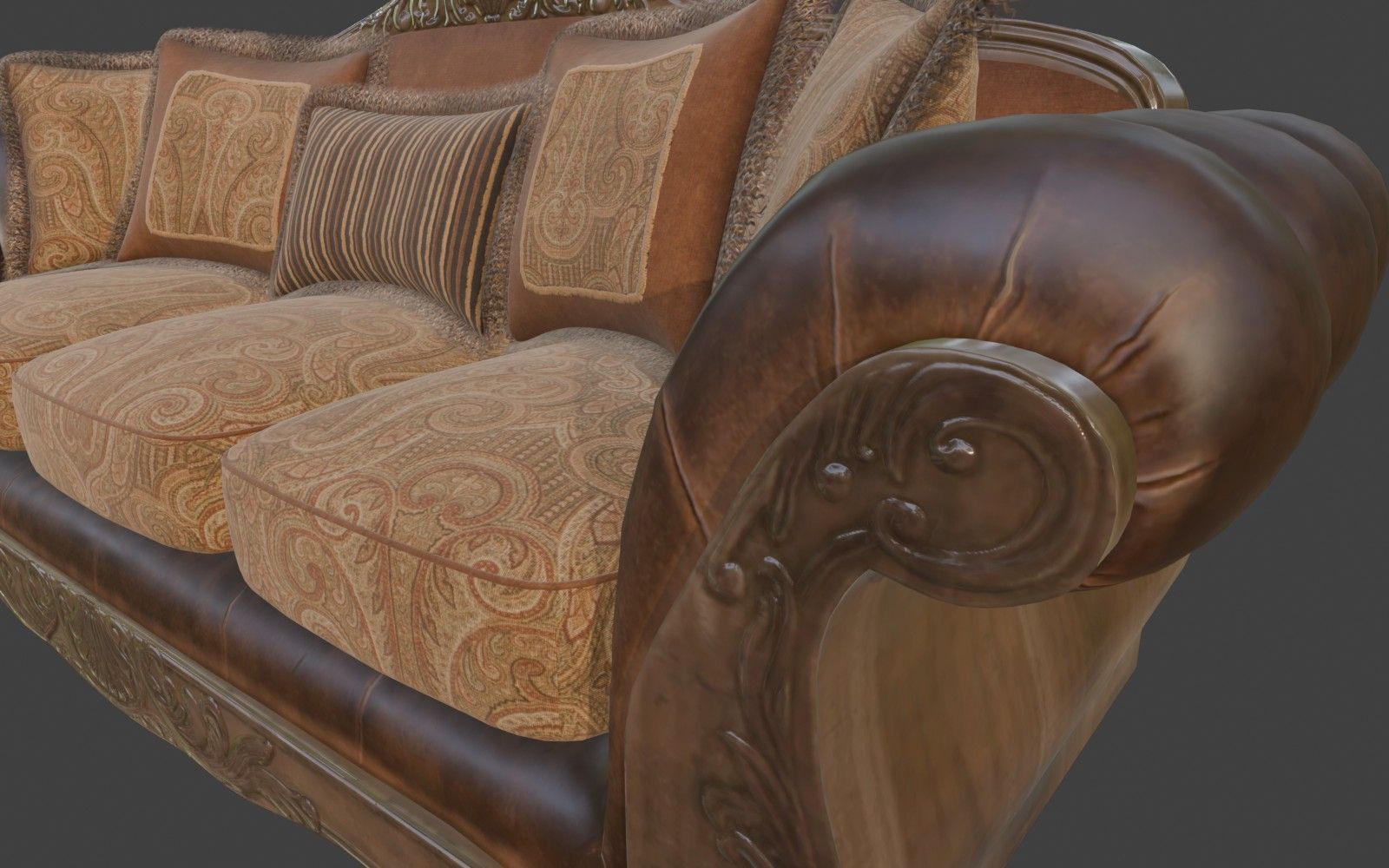
Turn on Preview on Models and the viewport shows every texture as it will be exported, at its format, codec and scale. Change a setting and see the preview live in Blender. Saving the .blend or exporting a glTF always uses the original images.
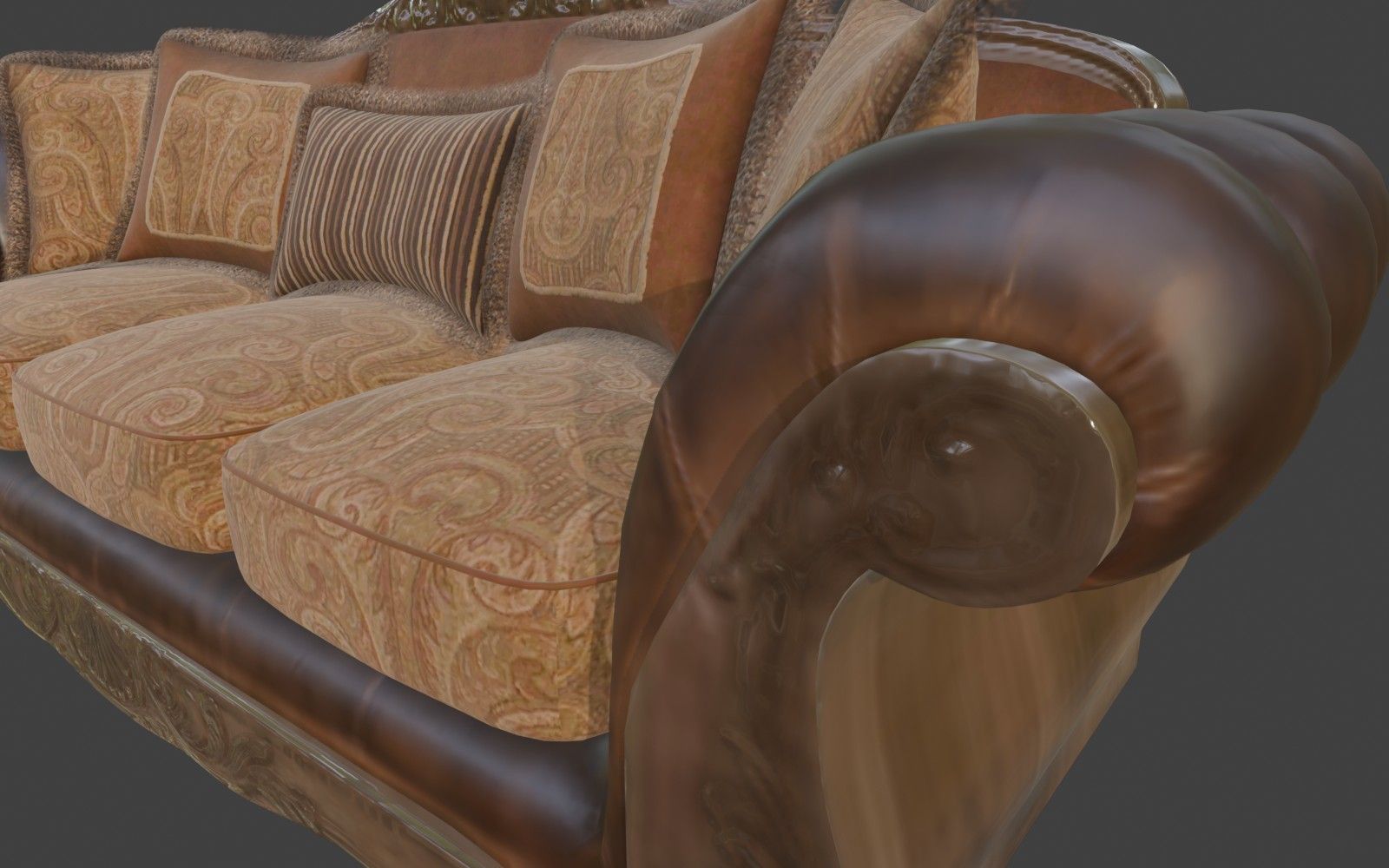
Built into Blender’s glTF exporter.
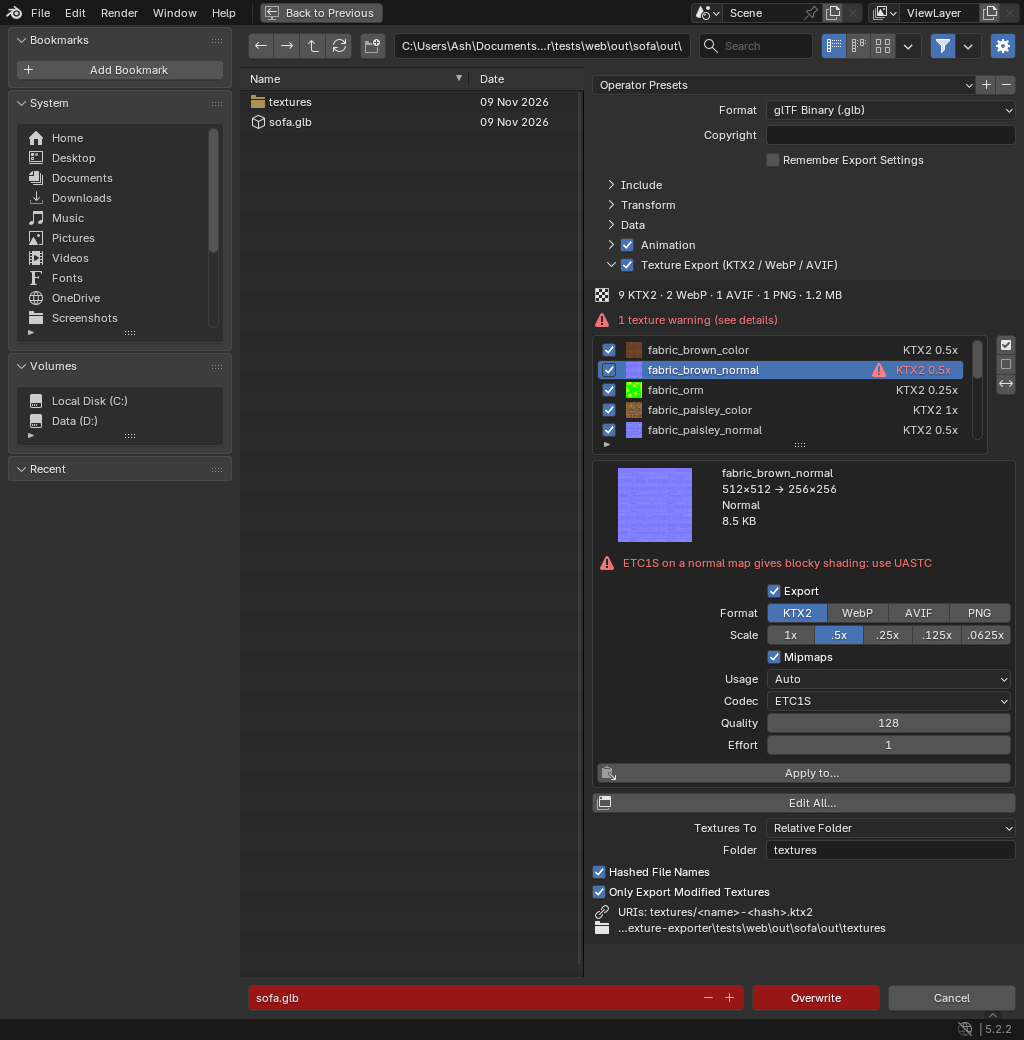
Tick Texture Export in the sidebar of File ▸ Export ▸ glTF 2.0. The list follows the exporter’s own Selected, Visible, Renderable and Collection options.
- Change any texture’s settings right there, or open Edit All… for every texture at once
- KTX2 encodes run in parallel
- Untick a texture and it’s left out of the glTF completely
- If an encode fails, that texture falls back to PNG and the file stays valid
Why textures live outside the GLB.
The GLB holds the geometry and materials, and each texture is its own file next to it.
Load in parallel
Geometry can render with a placeholder while the big textures stream in. A GLB with embedded textures can’t be parsed until the whole file has downloaded.
Cache per file
Change one texture and only that file is downloaded again, not the whole model.
Straight to the GPU
Each .ktx2 goes directly to KTX2Loader and transcodes in a worker, without first being copied out of the GLB’s buffer.
Shared textures load once
Env maps, atlases and matcaps used by several models are downloaded once.
Load on your terms
Lazy-load textures, serve 1k or 2k per device, or defer materials that aren’t on screen yet.
Extra requests are cheap
HTTP/2 and HTTP/3 send dozens of small files over one connection.
Change a texture without re-exporting the scene.
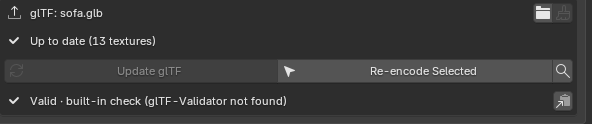
After an export, the Scene panel tracks the glTF: Up to date, out of date, or N textures to re-encode.
Update glTF re-encodes only what changed and patches the file in place. For a GLB, only the JSON chunk is rewritten and the geometry is copied byte for byte. Then it validates the result.
You only need a full re-export when the scene itself changes.
Settings saved in the .blend.
Every texture setting is saved in the .blend file, not in your Blender preferences so everyone on the team who opens it exports the same textures.
Saved with each image
Format, scale, codec, quality, mipmaps and output name are stored on the image itself, so they follow it when it’s appended or linked into another .blend.
Saved with the scene
Packed-map settings, the texture folder, Hashed File Names and the glTF export options are stored in the scene.
Relative paths
Texture folders are relative to the .blend or the glTF, so the export works on any machine.
One texture folder for many scenes.
Export several .blend files into one folder. With Hashed File Names, the same image with the same settings gets the same name from any file, so every GLB references one file and one URL.
- A file’s content never changes under its name, so it can be cached forever
- Two different images that share a name never overwrite each other
- Clean Up finds the files no glTF uses any more and moves them to
_unused/or deletes them - Only files the add-on wrote are ever touched
- sofa.glb1.2 MB
- armchair.glb840 KB
- footstool.glb310 KB
- shared-normal-3f9a1c2e.ktx23 GLBs164 KB
- shared-wood-orm-b71e04d9.ktx23 GLBs92 KB
- paisley-basecolor-8c2d5f17.webp2 GLBs71 KB
- fabric-orm-e40b9a63.ktx258 KB
- wood-basecolor-1d7c33a8.webp84 KB
- stripes-basecolor-a95e21b0.webp63 KB
- cushion-normal-5b08e7f4.ktx2118 KB
- leg-roughness-c63f1a9d.ktx227 KB
- brass-orm-07da4e15.ktx219 KB
- stool-basecolor-f2a8b36c.webp46 KB
Works natively in three.js.
GLTFLoader reads WebP and AVIF by itself, and KTX2 with three’s KTX2Loader. The add-on also comes with a three.js plugin that fetches, transcodes and uploads a texture once when several GLBs share it, on WebGL and WebGPU.
import { GLTFLoader } from 'three/addons/loaders/GLTFLoader.js';
import { KTX2Loader } from 'three/addons/loaders/KTX2Loader.js';
import { SharedTextureCache } from './shared-texture-cache.js';

const ktx2 = new KTX2Loader()
  .setTranscoderPath( '/basis/' )
  .detectSupport( renderer ); // ASTC / BC7 / ETC2 / … for this GPU

const loader = new GLTFLoader()
  .setKTX2Loader( ktx2 )
  .register( SharedTextureCache ); // one texture for every GLB that uses it

const gltf = await loader.loadAsync( 'models/scene.glb' );
// textures load from models/textures/*.ktx2 / *.webp / *.avif
Get Texture Exporter
Get web-ready textures out of every glTF you export from Blender.
- Use it on all your own machines
- Lifetime updates inside Blender with your licence key
- Blender 4.2+
Also in the collection
Bundle
Get both add-ons for less
Buy Blender to TSL and Texture Exporter together in one bundle, at a lower price than buying them separately.