Blender materials in three.js. Just ask your agent.
Export any material from Blender straight into three.js as TSL code. Your agent exports the mesh and textures too, and wires everything into your project as code so you can keep editing.
- Blender 5.0+
- Blender MCP
- Claude Code, Codex, Cursor and more
Complex materials with keyframes come along too.
The waterfall is a toon emission shader, and its six Mapping nodes are keyframed to scroll the noise downhill. The add-on turns those keyframes into a frame uniform, so the module plays the same animation Blender does.
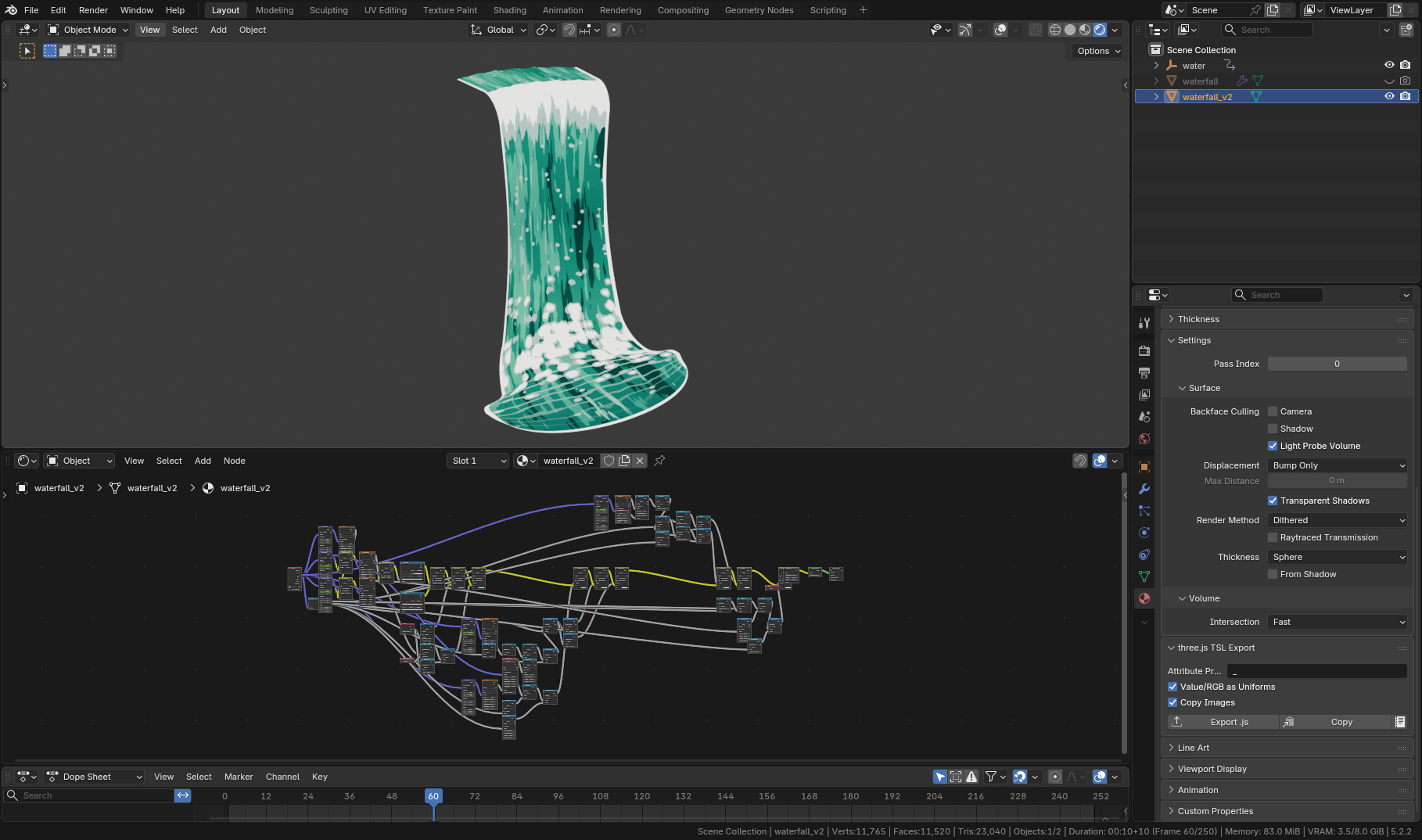
1 / 250
Uniforms createWaterfallV2Material().uniforms
High-fidelity conversion.
Materials that use built-in noise nodes, like this one, have been mapped and tested against Blender. The veins here come from the "Noise Texture" node, translated from Cycles, so they match exactly.
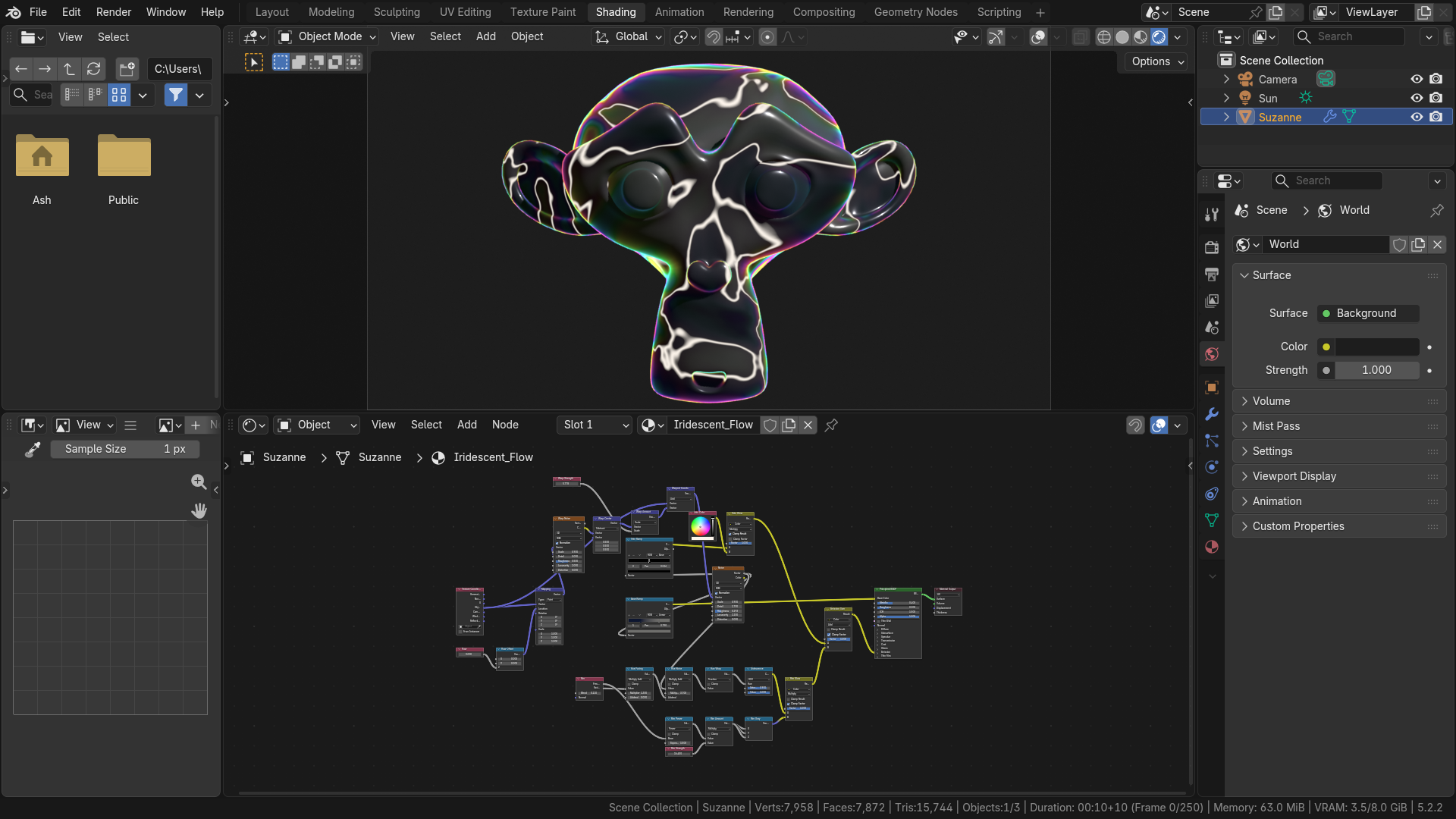
Uniforms createIridescentFlowMaterial().uniforms
Simply ask your agent for a material.
The add-on gives your agent its own instructions, so you don’t have to explain the export, the file layout or three.js node materials.
- 1
Connect Blender
Open your .blend with the Blender MCP add-on connected, and start your agent in your three.js project.
- 2
Ask in plain words
Name the object or material you want. With the included Agent skill, that’s all the prompt needs.
- 3
Your agent wires it in
The add-on gives it step-by-step instructions. It checks your project, exports the files, adds the material to your code and lists what it changed.
Ask for things like
- Bring the material on "Wall" from the open Blender file into this project.
- Export every material in the open file into src/materials.
- Add the coral from Blender to the scene, with its vertex colours.
- Swap the placeholder material on the rock for the one in Blender.
Or export it yourself.
Everything your agent uses is in Blender’s UI too. Export the module from the material panel and wire it up however you like. It’s a plain ES module, and three.js is its only dependency.
- 1
Pick the object
In Material Properties, open the three.js TSL Export panel. It’s also under File ▸ Export.
- 2
Export, Copy, or Open
Write a .js file, copy the module to the clipboard, or open it in Blender’s Text Editor to read first.
- 3
Import the factory
Each module exports create<Material>Material(), which returns { material, uniforms }.
import { MeshPhysicalNodeMaterial, … } from 'three/webgpu';
import { float, mix, texture, uniform, uv, vec3 } from 'three/tsl';

export const TEXTURES = {
  'brick_albedo': { file: 'brick_albedo.png', colorSpace: 'srgb', … },
};

export function createBrickWallMaterial( { textures = {} } = {} ) {
  setupTextures( textures );
  // Value / RGB nodes and other tweakables, exposed as uniforms
  const tint = uniform( vec3( 0.8, 0.42, 0.3 ) ); // Tint

  // … one named const per node output …

  const material = new MeshPhysicalNodeMaterial();
  material.name = 'BrickWall';
  material.colorNode = baseColor;
  material.roughnessNode = colorRamp;
  material.clearcoatNode = float( 0.25 );

  return { material, uniforms: { tint } };
}

export default createBrickWallMaterial;
Works with the agent you already use.
Anything that can reach Blender through the Blender MCP (Blender 5.1 or newer) can use it. Agents without the MCP, or on Blender 5.0, run Blender headless instead.
Paste it into your agent and it installs the skill for you.
Claude Code
The included skill teaches Claude Code to use the add-on whenever you ask for a Blender material. Install it as a plugin, and it stays in step with your version of the add-on.
/plugin marketplace add ashthornton/agent-skills
/plugin install blender-tsl@ashthornton-tools
Codex, Cursor, Copilot…
The same included skill installs into Codex, Cursor, Copilot, Gemini CLI and other agents with the skills CLI.
npx skills add ashthornton/agent-skills --skill blender-tsl-exportFor an agent the skills CLI doesn’t support, paste these few lines into your AGENTS.md instead.
Without the MCP
Agents can also run Blender from the command line, with no MCP and no Blender window open. The add-on’s instructions come back as JSON.
blender -b scene.blend --command tsl_export \
  --material BrickWall --out src/materials
Works from the real node tree.
The add-on reads the material’s nodes and writes the same graph in TSL, so your agent never has to rebuild a shader from a screenshot.
Checks your project first
Reads your three.js version, renderer and paths, and asks before big changes.
Mesh and textures included
Images and a .glb export with the names the material expects.
Your .blend stays untouched
Exports from a temporary copy and restores your selection.
Flags approximations
Anything not exact is listed by node name in the module.
Blender’s own maths
Noise, Voronoi, Wave, Brick and more are ported from Cycles source, pixel for pixel.
Tested against Blender
Every node is rendered in both and compared, on Blender 5.0 and 5.2.
Keyframes carry over
Animated values become curves driven by a frame uniform.
Matches Blender’s colour
Names the tone mapping for your view transform: Standard, AgX or Khronos PBR Neutral.
Picks the material class
Basic, Lambert, Standard or Physical, based on what the shader uses.
Values become uniforms
Value and RGB nodes are named uniforms you can change at runtime.
WebGPU with WebGL 2 fallback
Runs on WebGPURenderer, which falls back to WebGL 2 by itself.
Code you can read
Rebuilt node for node, with a named const for every output.
Over 80 shader nodes, node groups included.
Shader, texture, colour, vector and input nodes all convert. Where three.js can’t match Blender, such as ray-traced Bevel or banded Toon shading, the module approximates the node and names it. Move across the test scene below to compare three.js (left) with Blender (right).
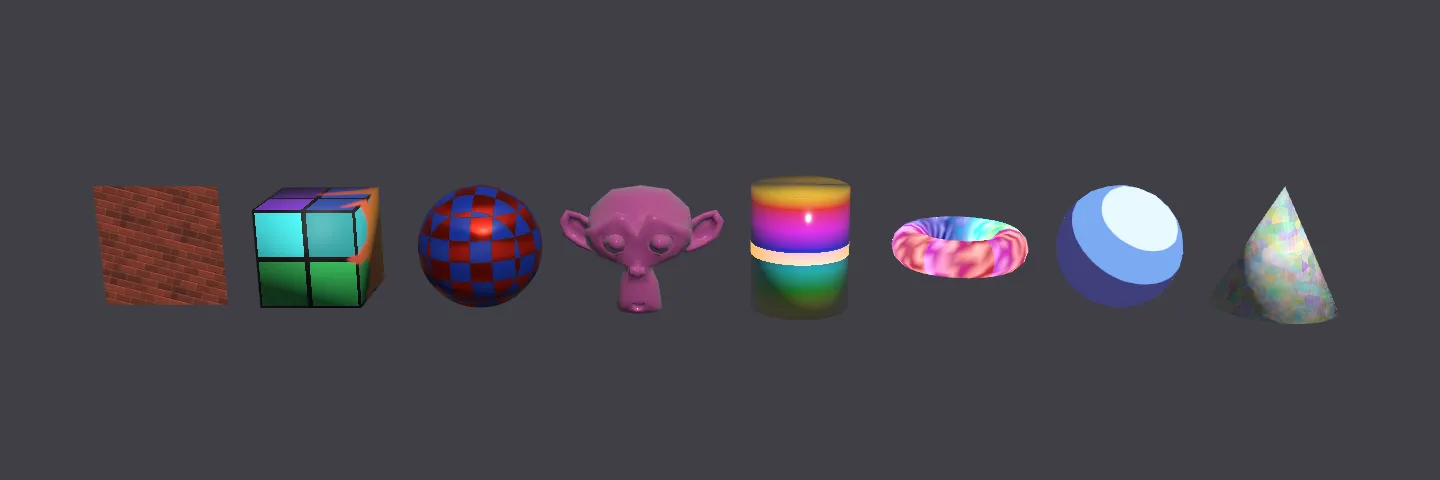
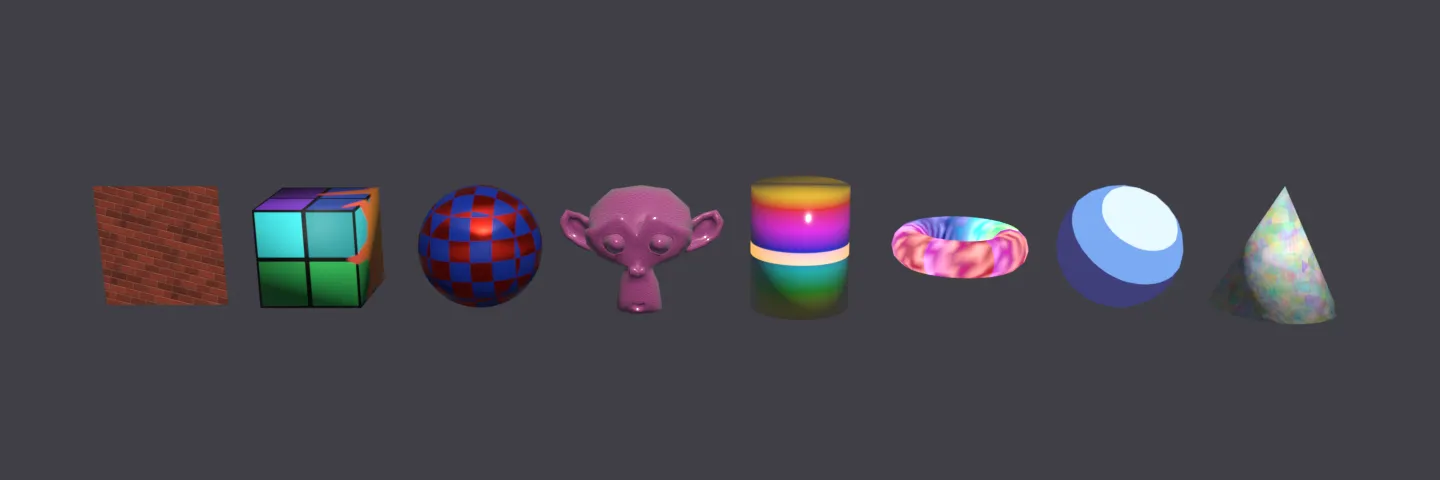
Shaders
- Principled BSDF
- Diffuse
- Glossy
- Metallic
- Glass
- Refraction
- Sheen
- Translucent
- Subsurface Scattering
- Specular (EEVEE)
- Emission
- Background
- Transparent
- Holdout
- Mix Shader
- Add Shader
- Shader to RGB
Textures
- Image Texture
- Noise
- Voronoi
- Wave
- Gradient
- Checker
- White Noise
- Brick
- Magic
Colour & maths
- Math
- Vector Math
- Mix
- Color Ramp
- RGB Curves
- Float Curve
- Vector Curves
- Map Range
- Clamp
- Invert
- Gamma
- Bright/Contrast
- Hue/Saturation/Value
- RGB to BW
- Blackbody
- Wavelength
- Separate / Combine
Vectors
- Mapping
- Vector Rotate
- Vector Transform
- Normal Map
- Bump
- Displacement
- Vector Displacement
Inputs
- Value
- RGB
- Attribute
- Color Attribute
- UV Map
- Texture Coordinate
- Geometry
- Tangent
- Object Info
- Camera Data
- Light Path
- Normal
- Fresnel
- Layer Weight
The code it writes
is yours.
You can use, change and ship generated modules under any terms, including in closed-source websites and apps. That covers the helper functions copied into them. The helpers are also MIT-0, so no attribution is needed. Code translated from Blender’s Cycles renderer is Apache-2.0, which also allows closed-source use. A module that contains any has a short /*! … */ notice at the top, which bundlers keep by default.
Get Blender to TSL
Ask your agent for a Blender material and get it in three.js as TSL code you can edit.
- Use it on all your own machines
- Lifetime updates inside Blender with your licence key
- Blender 5.0+
Also in the collection
Bundle
Get both add-ons for less
Buy Blender to TSL and Texture Exporter together in one bundle, at a lower price than buying them separately.