Blender to TSL/Help
Bugs, requests and help
Report a bug from inside Blender, request a feature, and find answers to common problems.
Bug reports and feature requests go to the public ashthornton/tools-support repository on GitHub. You need a free GitHub account to post.
Report a bug from Blender
The quickest way is the Report a Bug button. It opens a new issue in your browser with the add-on version, Blender version and operating system filled in, plus the panel’s export options and the warnings from your last export.
It’s in two places:
-
Edit ▸ Preferences ▸ Add-ons ▸ three.js TSL Material Export, under Found a problem?
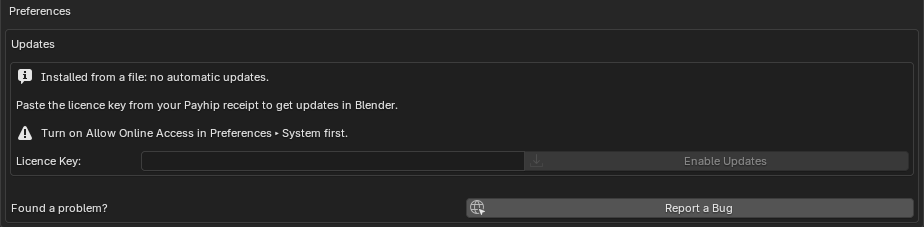
-
The link icon in the header of the three.js TSL Export panel (Properties ▸ Material). Export the material that goes wrong first, so its warnings are included.
Then describe what you expected and what happened instead. The most useful things to add:
- A small .blend that shows the problem, ideally one material on a simple mesh.
- Screenshots of Blender and of your three.js page side by side.
- Any errors from the browser console.
You can also open an issue on GitHub directly and pick the three.js TSL Material Export bug form. Please search existing issues first; a 👍 on an existing one helps decide what gets fixed first.
Request a feature
Use the feature request form in the same repository and pick the add-on in its dropdown. Missing nodes are the most common request: say which node and what you use it for.
Common problems
The panel isn’t in the material tab. The panel only shows when the active object has a material. It starts closed: look for three.js TSL Export near the bottom of the material properties and click its header.
The material looks different in three.js. Check the panel’s notes first: they list anything approximated. Then check tone mapping, Match Blender Highlights and tangents, as in Getting the closest match.
The console says [tsl] missing texture.
The factory wasn’t given one of the images in TEXTURES. See Textures.
Parts of the material are black or flat where they read an attribute.
The mesh doesn’t have the attribute under the name the module reads. Rename it to start with _ before exporting the glTF, or check ATTRIBUTES in the module. See Exporting the mesh.
Nothing renders, and the console mentions WGSL or a shader error.
Make sure you’re on WebGPURenderer from three/webgpu and a recent three.js. If it persists, report it: shader compile errors are always a bug.
My agent writes its own converter instead of using the add-on. Install the skill, or add Use the three.js TSL Material Export add-on’s scripting API to your prompt.
Updates don’t work. See If updates don’t work.
Licence
The add-on is GPL-3.0-or-later, like Blender. The modules it generates are yours to use under any terms; see The code is yours.